
WCAG Color Contrast Checker: What It Is, How It Works, and Why It Matters in Modern Design
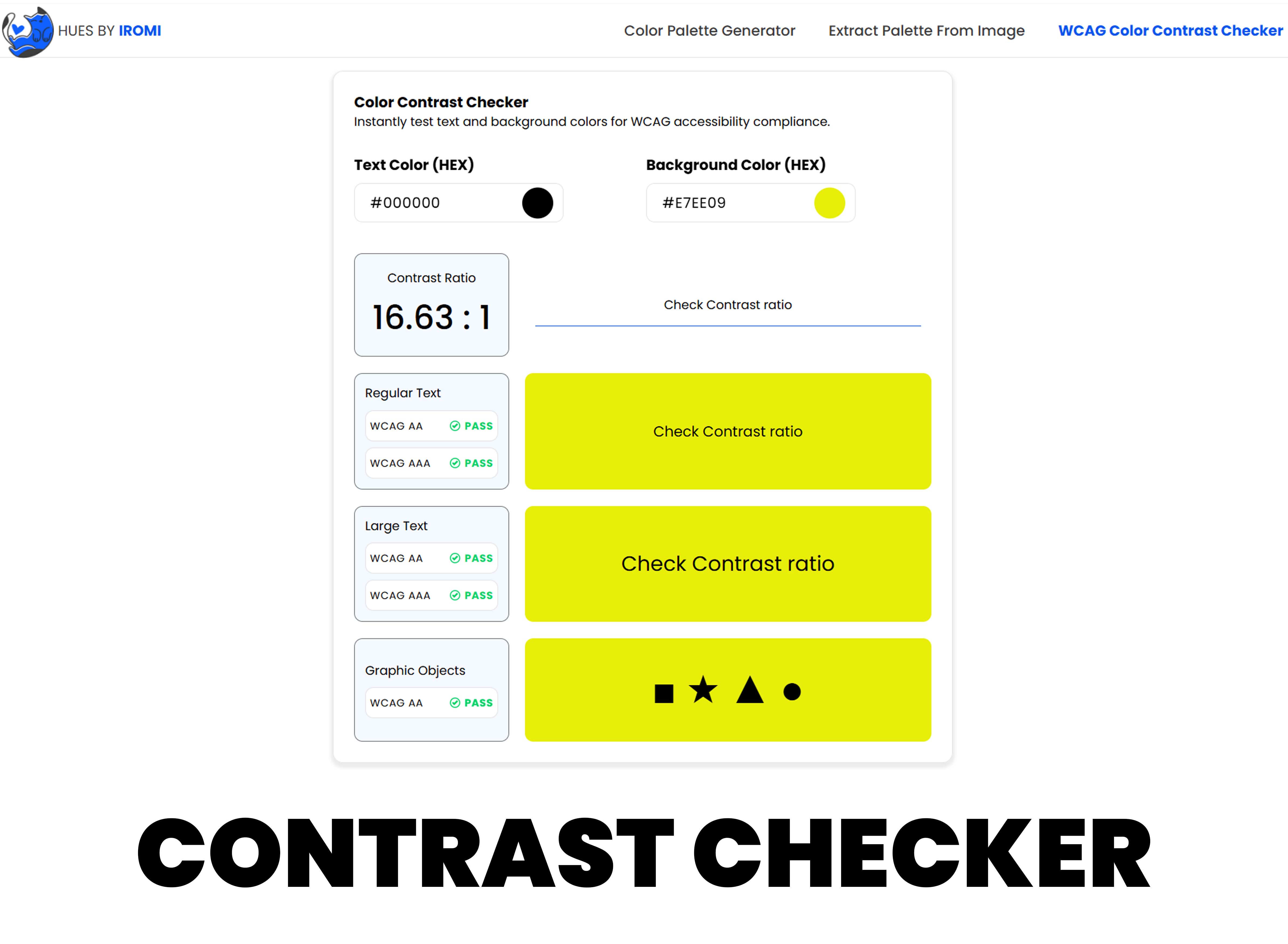
In today’s digital world, design is not just about looking good—it’s about being usable by everyone. One of the most important yet often overlooked aspects of accessible design is color contrast. This is where the WCAG Color Contrast Checker comes in.
Whether you are a UI/UX designer, web developer, product manager, or content creator, understanding WCAG color contrast is essential for creating inclusive and legally compliant digital experiences.
What This Guide Covers
- What WCAG is
- What a WCAG Color Contrast Checker is
- How it works
- Why color contrast is important
- WCAG contrast requirements
- Real-world use cases
- Brands that follow WCAG standards
- Best practices for designers
What Is WCAG?
WCAG stands for Web Content Accessibility Guidelines. These guidelines are created by the World Wide Web Consortium (W3C) through its Web Accessibility Initiative (WAI).
WCAG provides standards to make web content more accessible for people with disabilities, including visual, hearing, motor, and cognitive impairments.
- Visual impairments (color blindness, low vision)
- Hearing impairments
- Motor disabilities
- Cognitive and learning disabilities
WCAG Versions
Most organizations currently follow WCAG 2.1 Level AA, which is also referenced by many accessibility laws worldwide.
- WCAG 2.0 – Released in 2008
- WCAG 2.1 – Added mobile and low-vision improvements
- WCAG 2.2 – Further refinements
- WCAG 3.0 (in progress) – Future accessibility model
What Is a WCAG Color Contrast Checker?
A WCAG Color Contrast Checker is a tool that measures the contrast ratio between:
- Text color (foreground)
- Background color
It tells you whether the color combination meets WCAG accessibility standards. In simple terms, it checks if text is easy enough to read against its background for all users, including those with visual impairments.
How Does a WCAG Color Contrast Checker Work?
The checker uses a contrast ratio formula defined by WCAG. This formula compares the relative luminance (brightness) of two colors.
Contrast Ratio Scale
- Lowest possible ratio: 1:1 (same color)
- Highest possible ratio: 21:1 (black on white)
WCAG Contrast Requirements
- Normal text: 4.5:1 (AA), 7:1 (AAA)
- Large text (18pt+ or 14pt bold): 3:1 (AA), 4.5:1 (AAA)
- UI elements and icons: 3:1
The checker calculates the ratio and tells you:
- ✅Pass
- ❌Fail
Why Is Color Contrast Important in Design?
1. Accessibility for Users with Visual Impairments
Millions of people worldwide experience:
- Color blindness
- Low vision
- Eye strain
- Age-related vision changes
Poor contrast makes content hard—or impossible—to read.
2. Better Readability for Everyone
Even users without disabilities benefit from good contrast:
- Reading in bright sunlight
- Small screens (mobile devices)
- Low-quality displays
Accessibility improvements often improve usability for all users.
3. Legal and Compliance Reasons
Many countries require digital accessibility by law, including:
- Americans with Disabilities Act (ADA)
- Section 508 (USA)
- European Accessibility Act (EAA)
- Equality Act (UK)
Failing contrast guidelines can lead to:
- Legal complaints
- Fines
- Reputation damage
4. Inclusive and Ethical Design
Accessible design shows that a brand cares about:
- Inclusion
- Equality
- Social responsibility
Common Uses of WCAG Color Contrast Checker
Common Uses of a WCAG Color Contrast Checker
- Web design: body text, headings, navigation, buttons, and forms
- Mobile apps: text over images, icons, and dark mode interfaces
- Branding and marketing: logos, social media graphics, and emails
- Enterprise and government platforms: dashboards, reports, and public portals
Big Brands That Follow WCAG Standards
- Google, Apple, Microsoft, IBM
- Amazon, Netflix, Spotify
- PayPal, Visa, Mastercard, Salesforce
- USA.gov, NHS (UK), European Union digital platforms
These organizations use WCAG contrast checkers during design and development to ensure compliance.
These tools allow you to:
- Input hex or RGB color values
- Instantly check pass/fail status
- Adjust colors to meet requirements
Best Practices for Designers
1. Don’t Rely on Color Alone
Always combine color with:
- Text labels
- Icons
- Patterns
2. Test Early and Often
Check contrast:
- During wireframing
- During UI design
- After development
3. Design for Dark and Light Modes
Both modes need proper contrast ratios.
4. Use Accessible Color Systems
Create a predefined color palette that already meets WCAG standards.
5. Test with Real Users
Accessibility tools are powerful, but real feedback is even better.
Common Mistakes to Avoid
- Light gray text on white backgrounds
- Text over busy images without overlays
- Low-contrast placeholder text
- Unreadable disabled buttons
The Future of WCAG and Color Contrast
With WCAG 3.0 on the horizon, accessibility will move toward:
- More flexible scoring systems
- Better support for cognitive disabilities
- Broader usability metrics beyond contrast alone
Color contrast, however, will remain a core foundation of accessible design.
Conclusion
The WCAG Color Contrast Checker is more than just a tool—it’s a gateway to inclusive, user-friendly, and responsible design.
- Improve readability
- Support users with disabilities
- Meet legal requirements
- Build trust and credibility
- Create better digital experiences for everyone
Accessible design is not a limitation—it’s a design advantage.