
How to Extract Colors From a Photo for Brand Design
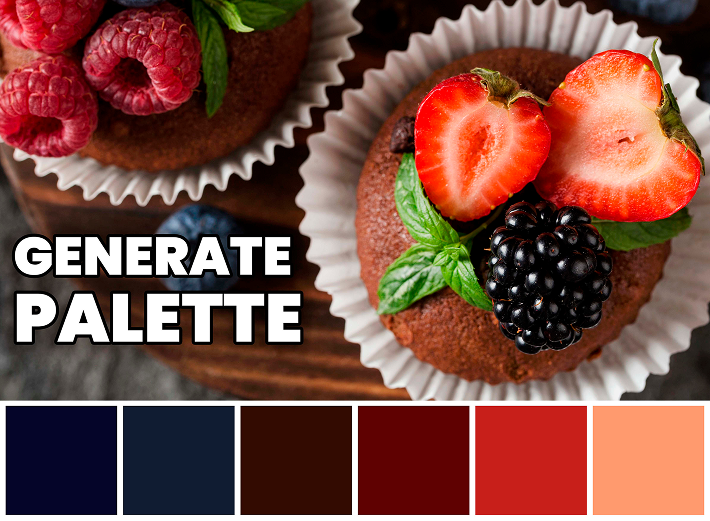
Photos are useful sources for color because they already contain natural relationships between light, shadow, and accent tones. A beach photo may include warm neutrals and calm blues. A product photo may reveal the exact colors customers already associate with the brand. The challenge is selecting a usable palette instead of copying every color the image contains.
Choose the Right Source Image
The quality of the palette depends on the quality of the image. Use a photo with clear lighting, limited clutter, and colors that match the emotion you want. A photo with too many objects may produce a noisy palette that is hard to use in branding.
- Use product photos for product-led brands
- Use location photos for travel, interiors, and lifestyle brands
- Use mood photos for campaigns and seasonal visuals
- Avoid images with heavy filters if color accuracy matters
Separate Dominant, Supporting, and Accent Colors
After extracting colors, group them by role. Dominant colors create the main visual identity. Supporting colors help with backgrounds and sections. Accent colors should be used sparingly for emphasis, calls to action, or highlights. This keeps the brand palette controlled.
Do Not Use Every Extracted Color
A photo may contain many tiny color variations caused by shadows, compression, or reflections. These colors may be accurate to the image but not useful for design. Remove colors that are nearly identical, too muddy, or too difficult to pair with text.
Test the Palette in Real Layouts
A palette should be tested in practical layouts before becoming part of a brand system. Try it on a landing page header, a product card, a social post, and a simple button set. If the colors only work as swatches but not in real layouts, simplify the palette.
Turn Image Colors Into Brand Rules
After choosing the final colors, write simple usage rules. For example: use the darkest extracted color for headings, the warm neutral for backgrounds, the brightest color only for highlights, and the muted tone for borders. These rules prevent the palette from being applied randomly.
This is especially useful when multiple people work on the same brand. A clear rule set keeps social posts, website sections, and product graphics visually connected even when they are created at different times.
HuesByIromi can extract a starting palette quickly. The best results come when you treat that palette as a draft, then refine it into a clear brand system with roles, contrast, and consistency.